A Free Trading Journal for NinjaTrader
Export a grid from NinjaTrader, drop the file into SniperJournal and review your futures trading with a dashboard, calendar, mistake analytics, Ghost Mode and AI insights. Free, no API key, no subscription, no trade limit.
- Trade Performance, Executions and Orders grids are detected automatically
- Commissions come inside Trade Performance and Executions; exchange fees can be added per contract
- Works for prop-firm accounts traded on NinjaTrader
Which NinjaTrader grid should you export?
Right-click a grid in NinjaTrader, export it and drop the file: SniperJournal recognises these three on its own. Trade Performance is the best starting point.
Trade Performance
RecommendedOne row per closed trade: Instrument, Market pos., Entry and Exit price and time, Qty, Profit and Commission. It imports as is, with the commission NinjaTrader reports.
Executions
One trade per positionOne row per fill (Instrument, Action, Quantity, Price, Time, E/X, Commission). SniperJournal turns each position into a single trade, per account and contract, from the first fill until you're flat: an entry filled at several prices, adds and partial exits stay together, and the trade details list every entry and exit. P&L is computed from the fills, flips come out right and the commission of every fill is kept.
Orders
Works, no P&L per rowThe Orders grid, also with the interface in German. Only filled orders count; cancelled and working ones are skipped, and the round-trips are rebuilt. No fees in the file: SniperJournal asks for a fee per contract, per side, in the import modal.
No API connection: NinjaTrader exports are the way in
NinjaTrader and Tradovate share the same ecosystem, and third-party API access is only granted to approved vendors. Exporting a grid takes a few seconds and re-imports skip what you already have.
Import your NinjaTrader trades in four steps
- 01
Export the grid from NinjaTrader
In the Control Center open Trade Performance (or Executions), set the date range, right-click the grid and export it to CSV. One file per account keeps things tidy.
- 02
Drop the file into SniperJournal
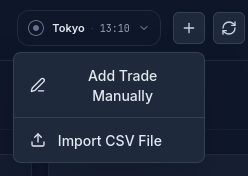
Open the portfolio you want the trades in, click Import and drop the file. CSV and XLSX files are accepted.
- 03
Check the preview before confirming
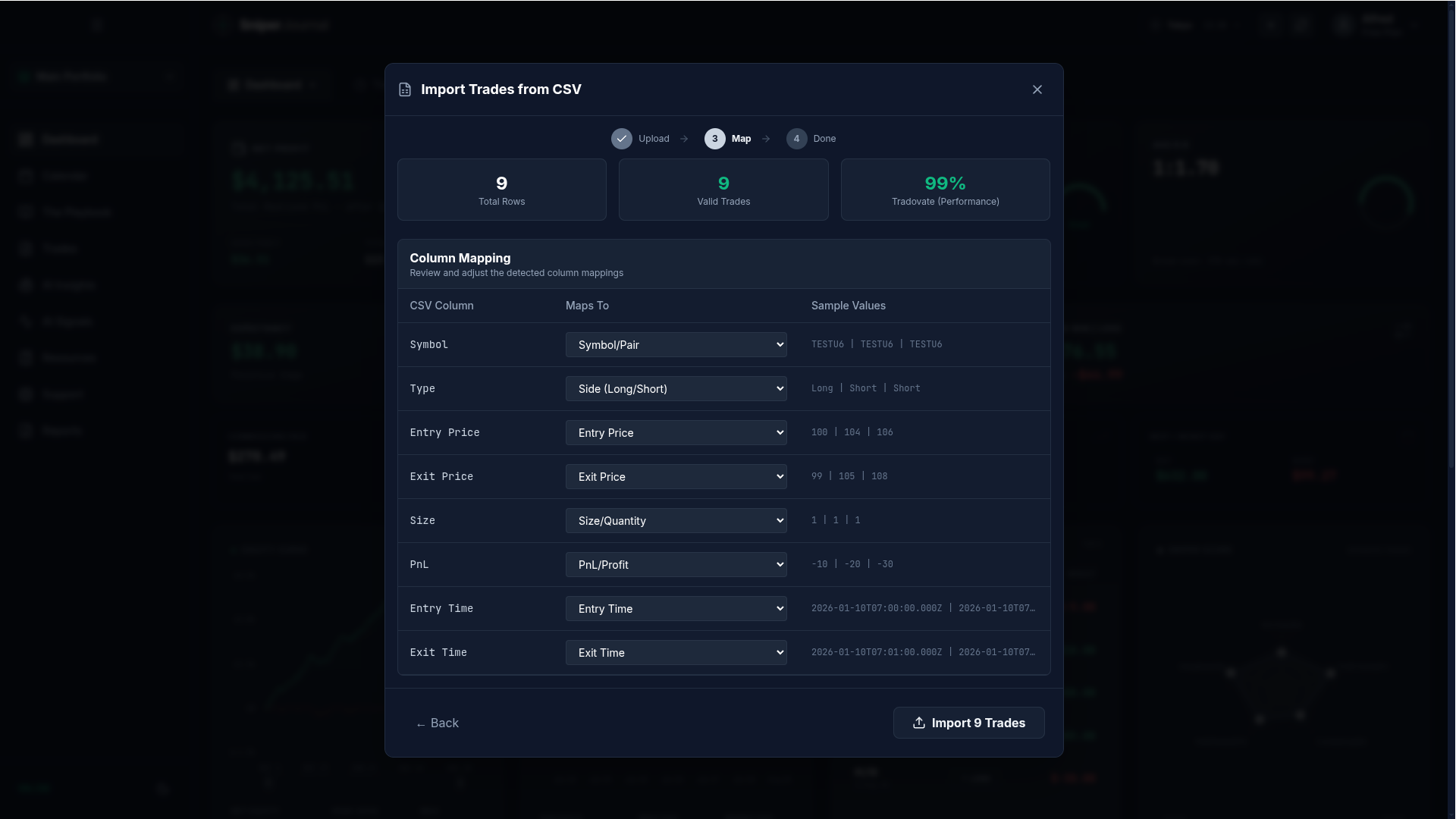
The importer names the detected format, for example NinjaTrader or NinjaTrader (Executions), with a confidence score and the number of valid trades. Pick the file timezone if the times look shifted, then confirm. The Orders grid has no fees, so for it the preview also asks for a fee per contract.
- 04
Review your trades
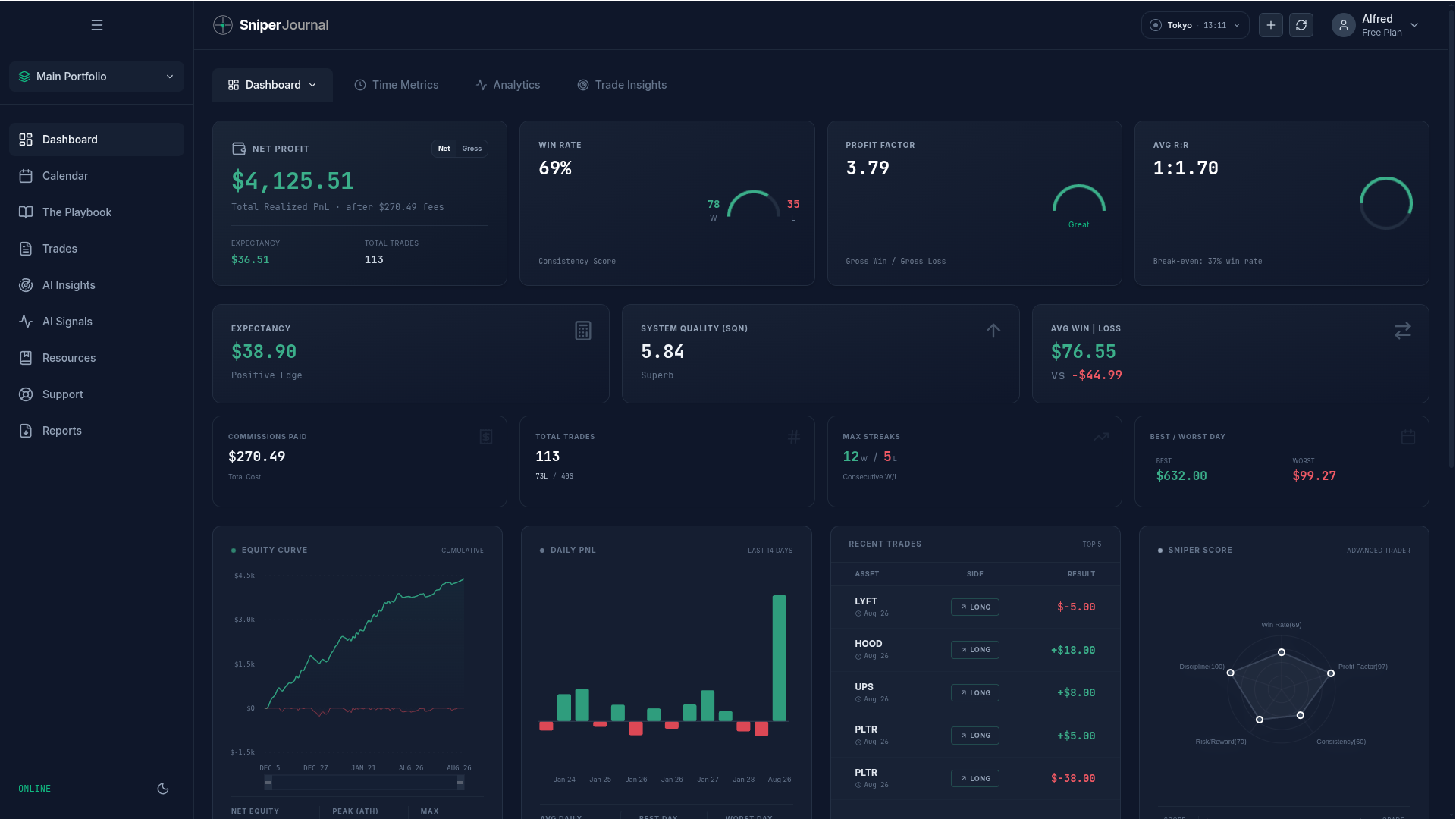
Your NinjaTrader trades land in the dashboard, the calendar and the journal. Tag mistakes, compare with Ghost Mode and let AI Insights look for patterns in your sessions.
Commissions in, exchange fees per contract
Trade Performance and Executions carry the commission NinjaTrader reports, and it is deducted from each trade. Exchange, clearing and NFA fees are not in the grids.
To count them, select the imported trades in the Journal and use Set fees with your full rate per contract, per side, commission included: it replaces the commission from the file. The Orders grid has no fees at all, so the import modal asks for that rate and saves it on the account for the next import.
Read the full guide to fees on imported futures trades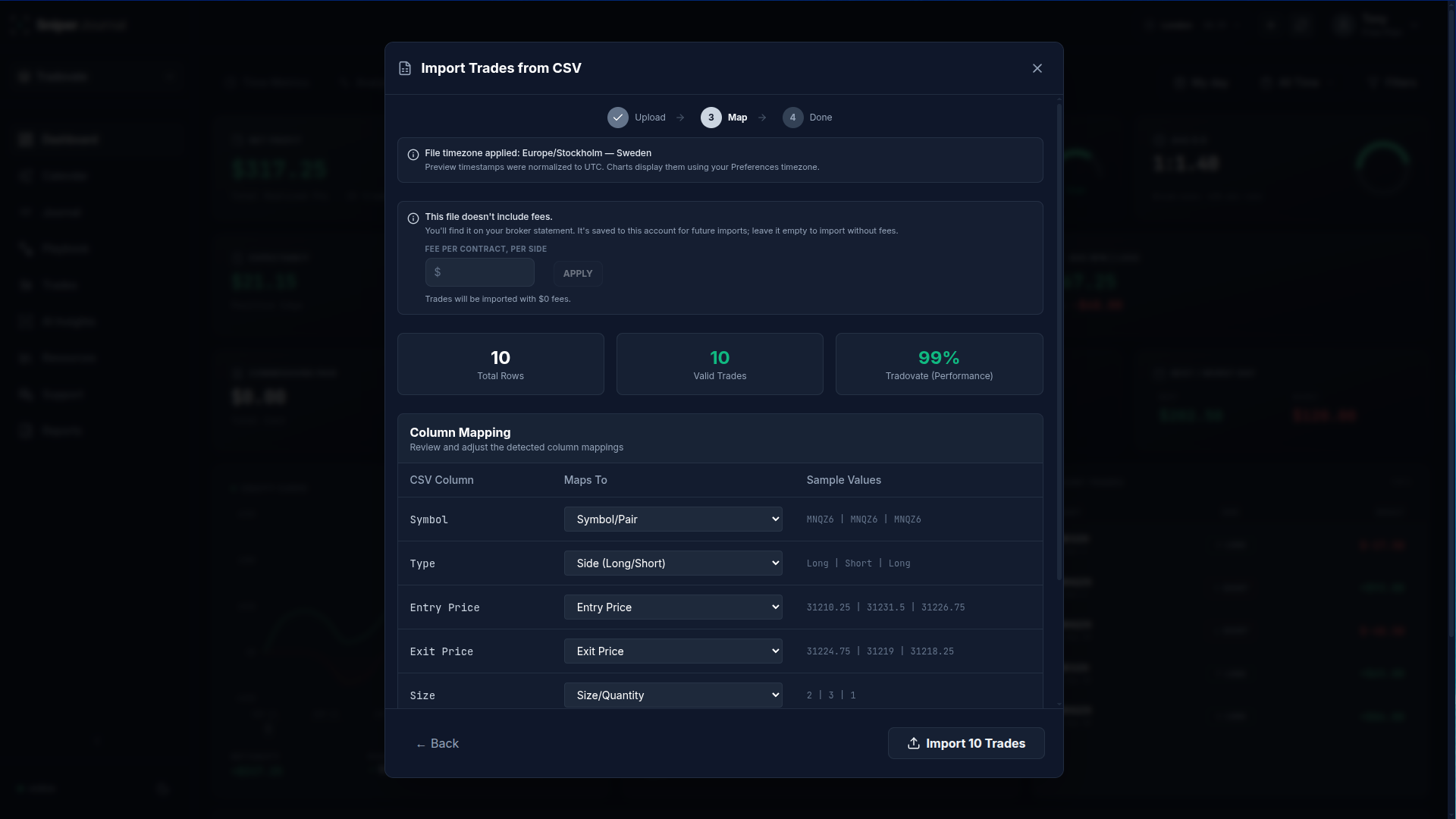
Good to know
Times are your PC clock
NinjaTrader writes wall-clock times without a timezone, in the zone your computer runs in. If entries and exits look shifted in the preview, pick the file timezone in the import modal before confirming.
Prop-firm accounts on NinjaTrader
Evaluation and funded accounts traded through NinjaTrader export the same grids, so they import the same way. Keep each account in its own SniperJournal portfolio to compare them.
Micro contracts and re-imports
Trade Performance brings the P&L as NinjaTrader computed it. For Executions and Orders, P&L uses the contract point value for the common CME, NYMEX, COMEX and CBOT contracts (ES, MES, NQ, MNQ, CL, MCL, GC, MGC and more); unlisted contracts import with a multiplier of 1 and a warning. Importing the same grid again skips the trades you already have.
Watch the import on video
How to import futures trades from Tradovate, TopstepX and NinjaTrader (2:23). The NinjaTrader part starts at 0:37.
What you get after the import
- Dashboard with win rate, profit factor, expectancy, drawdown and 30+ metrics
- Calendar heatmap and daily P&L, plus performance by hour and day of week
- Mistake analytics: tag errors and see what each type costs you
- Ghost Mode: your results with the flagged mistakes removed
- AI insights and the AI analyst over your own trades
- PDF reports and a journal with notes and screenshots
FAQ
Is SniperJournal free for NinjaTrader traders?
Yes. SniperJournal is free. There is no subscription, one-time fee, trial gate or trade limit, and registration is open.
Does SniperJournal connect to NinjaTrader directly?
Not today. NinjaTrader grants third-party API access only to approved vendors in its ecosystem, so SniperJournal imports the exported grid instead. Exporting takes seconds and re-imports skip what you already have.
Which NinjaTrader grid is best?
Trade Performance: one closed trade per row with profit and commission, nothing to rebuild. Executions is just as complete when you want every fill; Orders works but has no fees.
Why are my entry and exit times a few hours off?
Because the grid has no timezone: NinjaTrader writes the wall-clock time of your computer. Pick the file timezone in the import modal and the times line up with your sessions and charts.
Can I add exchange and clearing fees?
Yes. After importing, select the trades in the Journal and use Set fees with your full rate per contract, per side, commission included: it replaces the commission from the file. With the Orders grid, which has no fees, the import modal asks for the rate.
My prop firm runs on NinjaTrader. Does it import the same way?
Yes. Any account traded through NinjaTrader exports the same grids. If the firm uses Tradovate or TopstepX instead, those exports are detected too and have their own guides.